Blog
Lorem ipsum dolor sit amet, consectetur adipiscing elit. Nunc ex sem, facilisis sed viverra nec, sagittis vel quam nulla nisi mi scelerisque quis.
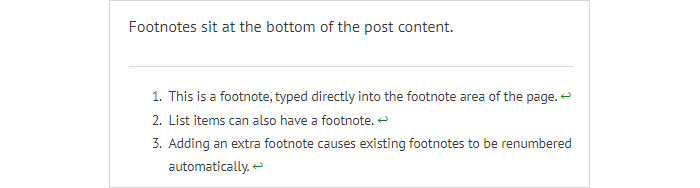
Footnotes
The WordPress Block Editor makes it easy to add footnotes or references to the bottom of a post.
Lato Font
This sentence is in the default, PT Sans font. And this sentence is in the Lato font regular. And this sentence is in the Lato font regular. No, it is in medium but it looks no different. And this sentence is in the Lato font light. And this sentence is in the Lato…
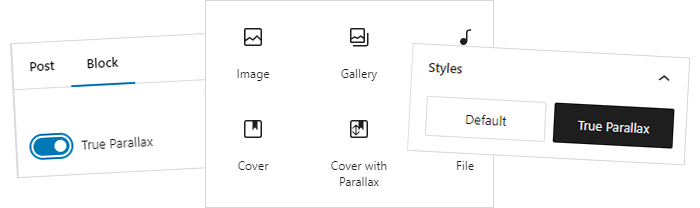
Best Method for Customising a Core Block
As an exercise, I tried a variety of methods for customising a block, in order to add a “True Parallax” option to the Cover block. Adding a block style, adding a block variation, using a block filter, creating an entirely new block…

Customising a Block using Block Filter
We investigate how to customise a core block using Block Filters to add and handle additional block attributes. We add an add an additional control which will allow the user to choose the “True Parallax” option.

Adding a Block Variation
Continuing our investigation into how to customise a core block, we look into how to add a block variation. A variation is a version of a block with pre-configured attributes…

Adding a Custom Block Style
As part of our investigation into how to customise a core block, we look into how to add a custom block style, to allow the user to choose our “true parallax” class for the cover block.
Adding Custom Javascript Only When a Specific Block is Present
We investigate how to add a small Javascript file to the front end of the site, only if the Cover block is present on the page.
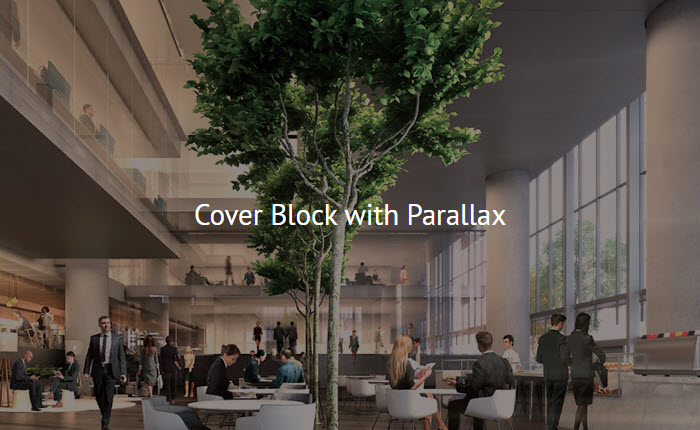
Cover Block with True Parallax
Parallax is a term which is used to describe movement on a web page – specifically when individual items move at different speeds as you scroll down the page. I want to customize the cover block to add a true parallax option which the user can choose in the block edit…

Finding Your Way Around the Block Editor
The WordPress Block Editor provides several helpful methods for finding your way around the editor and ensuring you are interacting with the right block. These include the post breadcrumbs in the footer, the parent block icon in the block control bar, and the document o…
Subscribe