by aileen | Apr 4, 2024 | Editing Website Content, WordPress Block Editor
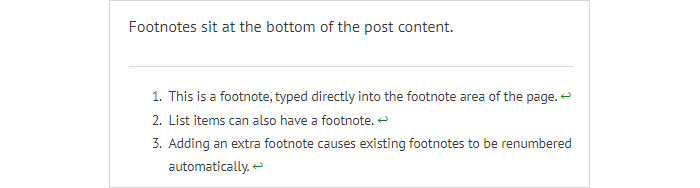
The WordPress Block Editor makes it easy to add footnotes or references at the bottom of a post. Footnotes can be added as you go, or at any time when editing, and appear in a block at the bottom of the page. How to Add This is a simple process. You type your content...
by aileen | Apr 3, 2024 | Editing Website Content
This sentence is in the default, PT Sans font. And this sentence is in the Lato font regular. And this sentence is in the Lato font regular. No, it is in medium but it looks no different. And this sentence is in the Lato font light. And this sentence is in the Lato...

by aileen | Jan 5, 2024 | Editing Website Content, WordPress Block Editor
The WordPress Block Editor provides several helpful methods for finding your way around the editor and ensuring you are interacting with the right block. These include the post breadcrumbs in the footer, the parent block icon in the block control bar, and the document...

by aileen | Aug 26, 2023 | Business Tips, Editing Website Content, WordPress Block Editor
What if your website has existing content which was written before the Block Editor came along? Or you have existing content and you want to migrate to a theme which supports the Block Editor. Must You Convert Existing Content into Blocks? You don’t HAVE to...
by aileen | Jul 24, 2023 | Editing Website Content, WordPress Block Editor
Many people like to write their content using a familiar program, such as Word or other word processing software. They write and edit the text until it is correct and readable, and then copy from Word and paste into the post or page in the WordPress website. This...

by aileen | Jun 23, 2023 | Business Tips, Editing Website Content
Going off on holiday and want your website to continue to display new content at regular times? With WordPress, it’s quite simple to prepare new website content and then schedule those posts to be published in the future. Once you have written your post and you...